Digital Accounts Store
Browse Gmail, Twitter, Discord, aged, phone-verified, and EDU accounts. Instant delivery with guarantee on every order.
22 products found
Top Picks
Recommended listings with recent sales
| View | |||
|---|---|---|---|
GitHub Accounts 22 products found | |||
GitHub Accounts 2-3 month old GitHub accounts with Mail verified 2fa Active - Fresh GitHub accounts with Mail verified 2fa Active12h12h guaranteeSeller 4.3839 sold46% repeat buyers | 187 | from$1.44 | View |
More options
Other listings in stock
We recommend buying from the Top Picks above first.
| View | |||
|---|---|---|---|
GitHub Accounts | |||
GitHub Accounts 4-5 Month Old GitHub Accounts, Gmail Verified, 2FA Active12h12h guaranteeSeller 4.4215 sold48% repeat buyers | 36 | from$1.80 | View |
GitHub Accounts 5-6 Month Old GitHub, Gmail Verified, 2FA Authenticator Key12h12h guaranteeSeller 4.1174 sold39% repeat buyers | 99 | from$2.10 | View |
| 766 | from$3.21 | View | |
Try one first
Unusually cheap, few sales or a low seller rating
These listings cost far less than similar ones, have few sales or a low seller rating. Buy one first to test it, and order more once it works.
| View | |||
|---|---|---|---|
GitHub Accounts | |||
| 902 | from$0.45 | View | |
GitHub Accounts GitHub OTP Service via Gmail (Not an Account)24h24h guaranteeSeller 5.0263 sold61% repeat buyers | 2,125 | from$0.26 | View |
| 34 | from$1.80 | View | |
| 91 | from$1.18 | View | |
GitHub Accounts GitHub Accounts, 1 Month Aged, Email Verified, GitHub Login Only, Mixed IP12h12h guaranteeSeller 4.015 sold52% repeat buyers | 316 | from$1.03 | View |
| 1 | from$8.55 | View | |
GitHub Accounts GitHub.com Verified Accounts, Email Included (IMAP Access)12h12h guaranteeSeller 4.04 sold52% repeat buyers | 28 | from$1.25 | View |
GitHub Accounts GITHUB.COM VERIFIED ACCOUNTS. EMAIL INCLUDED ( IMAP ACCESS )10h10h guaranteeSeller 4.23 sold42% repeat buyers | 284 | from$1.13 | View |
| 6 | from$1.95 | View | |
| 41 | from$0.90 | View | |
GitHub Accounts GitHub Accounts, Mix IP, Manual Registration, Mail Confirmed, 3-9+ Months1h1h guaranteeSeller 3.92 sold34% repeat buyers | 2,464 | from$5.40 | View |
GitHub Accounts GitHub.com Accounts with Repository, Warmed Up, Avatar, Filled Profile12h12h guaranteeSeller 4.02 sold52% repeat buyers | 77 | from$0.52 | View |
GitHub Accounts GitHub Accounts, Mix IP, Manual Registration, Email Verified + Included, 10+ Days30min30-min guaranteeSeller 4.01 sold52% repeat buyers | 10 | from$2.22 | View |
GitHub Accounts Aged GitHub Account, 2FA + Email Access, 1-2 Years12h12h guaranteeSeller 4.447% repeat buyers | 484 | from$135.48 | View |
GitHub Accounts Aged GitHub Account, 2FA + Personal Access Token (Classic), 1-2 Years12h12h guaranteeSeller 4.447% repeat buyers | 115 | from$141.15 | View |
| 340 | from$112.90 | View | |
GitHub Accounts GitHub Account, 2FA, Email Access + Personal Access Token (Classic), 1-2 Years12h12h guaranteeSeller 4.447% repeat buyers | 821 | from$169.39 | View |
GitHub Accounts GitHub, 2FA, Email Access + Personal Access Token (Classic), 1-2 Months12h12h guaranteeSeller 4.447% repeat buyers | 2 | from$14.59 | View |
No accounts found
Try a different search term.
A GitHub account arrives as one line of text
Accounts come first in this shop, and each one is delivered as a line on your order page. This is what a full line from a listing with a mailbox, a 2FA key and a token holds, field by field.
Username
The account's name on GitHub and the end of its profile address. GitHub also accepts the email at sign-in.
GitHub password
For the first sign-in at github.com. Replace it once you are in.
2FA key
Letters and digits that make the six-digit sign-in code. Paste it into a 2FA code generator when GitHub asks.
Access token
A personal access token (classic), on listings that name one. It works for git over HTTPS and the API, not for the sign-in page.
Email
The address the account was confirmed with. On most listings the mailbox comes too, on several a Gmail address.
Mailbox password
Opens that mailbox, so GitHub's confirmation and reset emails reach you. Absent on listings marked GitHub access only.
Sample line (invented values)
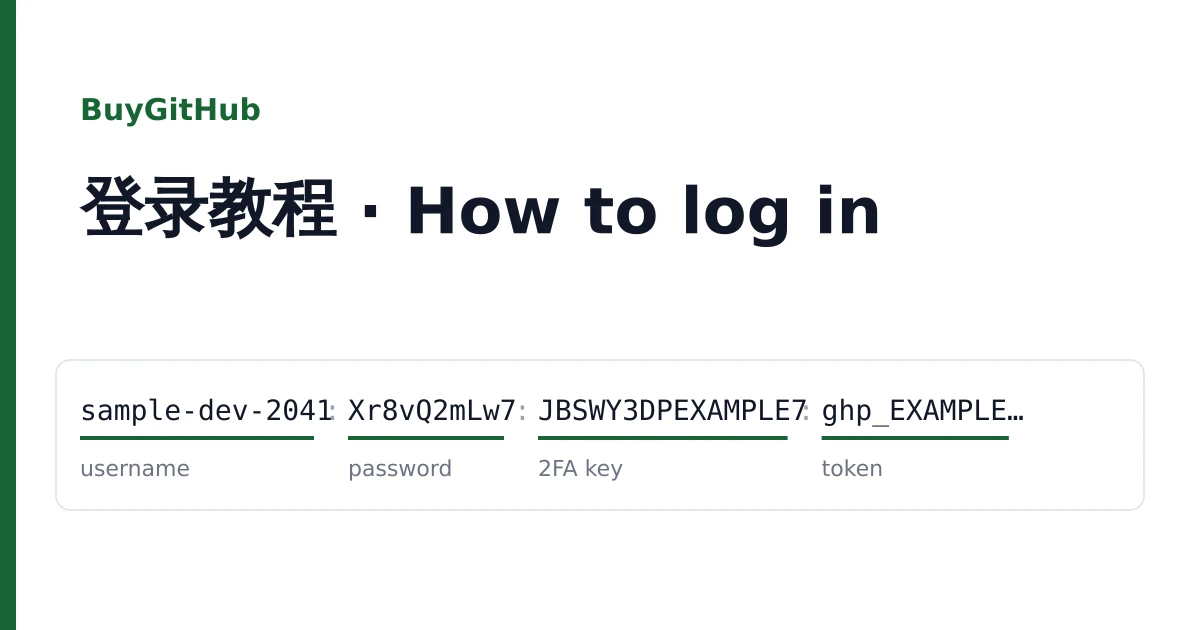
1sample-dev-2041:2Xr8vQ2mLw7:3JBSWY3DPEXAMPLE7:4ghp_EXAMPLEexample0000:5sample.dev2041@example.com:6MailPw55
Age is what most listings are sold by
The title gives the time since registration as a floor or a band. Fresh accounts are days old or 10 days and up. Then come monthly bands, such as one month, one to two, two to three, four to five, or three to nine months. The oldest are sold as one year and over, one to two years, or two to three years.
Age only dates the sign-up. It says nothing about commits, contributions or followers, and the profiles are plain unless the title says otherwise: one listing adds a repository and an avatar.
- Fresh
- A few days, or 10 days and up
- Months
- Bands from 1 month to 9 months
- Years
- 1 year+, 1 to 2 years, 2 to 3 years
- Profile
- Plain; one listing with a repository and avatar
How they were registered, and the mailbox
Most listings were registered by hand from mixed IP addresses; one was registered automatically from the USA. Each account has its email confirmed. Whether the mailbox is handed over depends on the listing: most include it, one adds IMAP access so you can read it in a mail client, and one is marked GitHub access only, which means the GitHub login without the mailbox.
Two-factor authentication is already on for most listings aged by the month or by the year, with the key in your line. Without the key or the mailbox you cannot get back into an account that asks for a code, so keep both with the password.
GitHub access only
Without the mailbox there is no email reset. Add an address of your own as soon as you sign in.
Token listings
Treat the delivered token like a password: create your own token with only the scopes you need, then delete the one you received.
Stars and forks for a repository
Growth is the second part of the shop. A star is a bookmark a GitHub user leaves on a repository, and the total shows at the top of the repository page; a fork is a copy of the repository under another account, counted beside it. Both are ordered with the link to a public repository, and that link is all checkout asks for.
After payment the order goes to a delivery service picked for that order, usually within minutes; when it starts and how fast it runs depends on that service. Standard goes to the best-priced service with a good completion record and has no refill. Premium goes first to services with a refill window and uses it when the service that filled the order has one.
A count added this way is a number on the page. It does not bring people who read, run or contribute to the code, and it can fall back later.

Followers for a profile
Followers are ordered for a public profile link, the github.com address that ends with the username. The count shows on the profile under the avatar. The order runs the same way as stars: one delivery service per order, Standard without a refill, Premium placed with services that have a refill window first.
A profile you bought here can be grown too, once you have taken it over. It is a separate order with that profile's own link.
GitHub's terms
GitHub has its own rules on account use and activity and can remove stars, follows or forks, or act on an account, when it finds those rules broken. Use what you buy within its terms.
Taking over, and what the warranty covers
Sign in at github.com/login with the first two fields and, when asked, the code made from the key. Then add an email address you control and make it primary, change the password, set up two-factor again with your own authenticator app, and look through Sessions, SSH keys and tokens for anything you did not create.
Do this inside the warranty window on the listing. If the password is refused, a code is not accepted, or the account is suspended, open a ticket from your order page with a screenshot before the window closes: it is replaced from the same listing, or refunded when the listing is empty. Signing in never voids the warranty; suspensions caused by bulk or automated activity are not covered. A growth order that has not started or stopped short is checked with its service, then completed or refunded for the part not delivered.
- Delivery
- On your order page, usually within minutes
- Account claims
- Inside the warranty window, with a screenshot
- Growth claims
- Completed, or the missing part refunded
- Support
- Never asks for your own password, token or codes